 |
|
|
In the gleaming metallic flesh, the Matrix was très petite; ¾
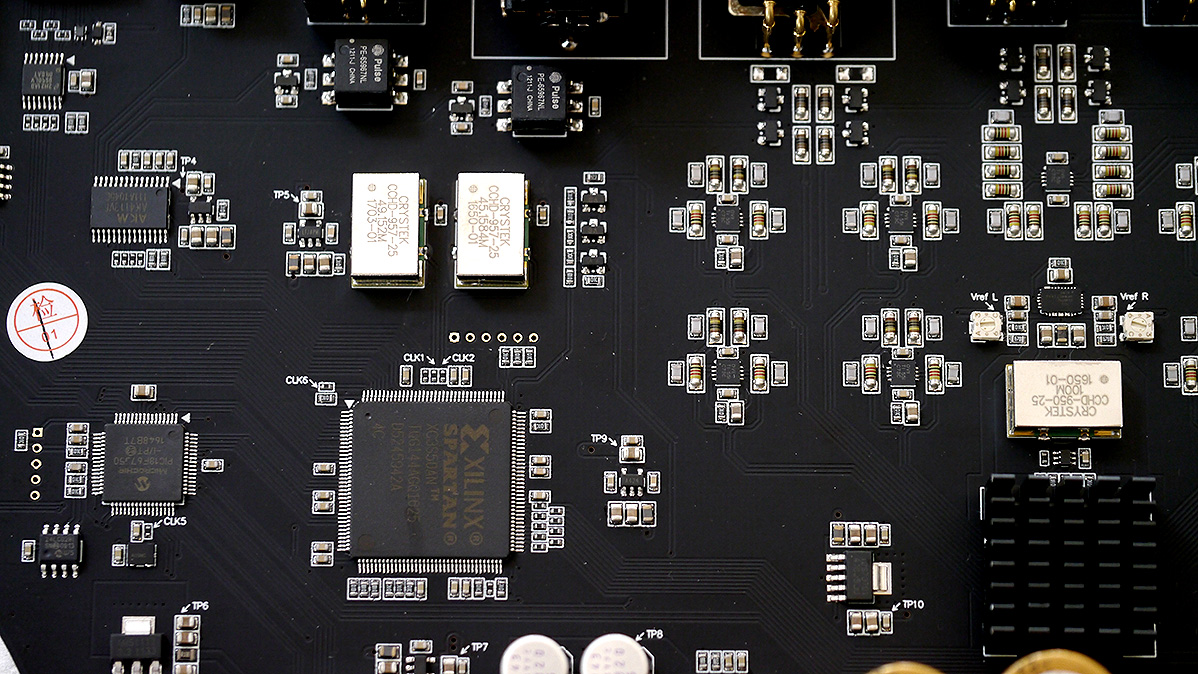
width, ¾ depth, barely one rack space tall. 'M' for munchkin not Matrix? Getting at the innards meant undoing eight bottom panel bolts, four screws on the mother board, three rear-panel retainer rings for the RCA jacks and six matching fixing screws for the XLR. Now I could dislodge the upside-down board and flip it over for a look-see.
|
 |
This spotted the Xilinx Spartan processor, Microchip PIC18F67J50 controller chip/RAM buffer, 216kHz AKM4113VF digital receiver, XMOS 6U6U5 USB transceiver, Crystek clocks, Sabre chip obscured beneath a stamp-sized heat sink, 5 x 25V/3'300F Nichicon caps, pulse transformers on each of the AES/EBU and coaxial inputs, trim pots for the left/right channel voltage reference and sundry OVII T155I parts in the output buffer.
|
|
Matrix clearly had execution, design, styling and finishing down to a capital 'T'. |
|
|
|
|
Even the metal-face remote followed suit with large easily identified buttons for the inputs, ± volume, mute and power. Having just returned from the Munich HighEnd 2017 show a few days prior to when X touched down by DPD courier, I was still in rehab from overkill bling for the 0.1 percenters. Inspecting the Matrix became an Xcellent reminder that life in the trenches of sanity continues if one just knows where to look. Huzzah!
|
 |
Once plugged into wall power, the power symbol on the display goes red. After five seconds, it extinguishes. Pressing it now goes out of standby, with first the white logo appearing in the central eye, then the other commands. Each manual touch on a control strip elicited a brief chirp. Manual volume navigation thus occurred one chirp at a time. By remote, a longer press starts to whiz through the numbers. Those cover 0.5dB steps down to -50dB, 1dB steps from -50 to -65dB, 5dB steps to -110dB and one final 10dB step to -120dB. Beside the attenuation figure, the eye also shows a circumferential volume marker for those born during the analog knob era. 'Auto' mode searches for an active input, saying 'connecting...' until there's actual live bait on the line. The only micro blips on the negativity radar were a lack of included CR2032 coin battery—thankfully our last Ikea visit had stacked up and the remote went active momentarily—and no owner's manual to figure out how to enter 'menu'. The quick start guide made no mention of it so I downloaded the full PDF instead.
|
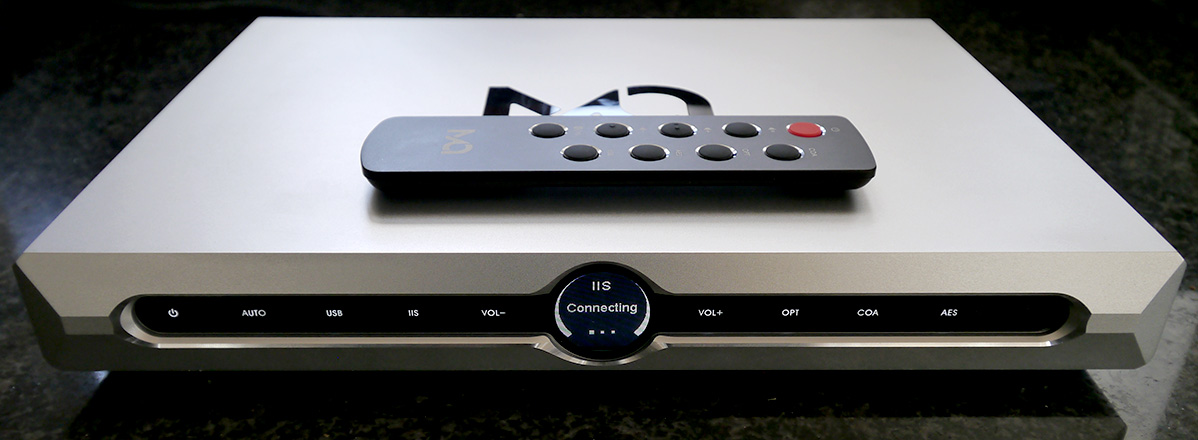 |
This explained that X remembers the last input and volume setting out of standby; that during play, the touch-screen power button becomes the mute button; and that held for two seconds when off, it opens the menu. Thereafter the ± vol commands step through the menu and the power button becomes the selector. Exploring this, one learns that the 'beep' confirmation can be turned off which I did. No more chirping. To exit the menu, one follows through to the last screen, then selects 'exit'. Nothing much to it really.
|
 |
|

|

|
|

